

“Pencil-whipping” is when staff:
On paper, it looks like you’re doing everything right. In reality, you may have no idea what your fridges and freezers have been doing.
That’s a problem for:
So how do you stop it?
Most staff don’t get up in the morning looking for ways to cheat. Pencil-whipping usually happens because of pressure and poor systems, not “bad people”.
Common reasons:
Understanding the “why” helps you fix the problem without just turning into the temperature police.
If it’s painful to do the right thing, people will find shortcuts.
Things you can change quickly:
Or better yet, mount the thermometer on the fridge door with the form beside it.
Once or twice a day is realistic. More than that and you just encourage people to “fill it in later”.
“You must record the actual temperature you see, even if it’s out of range. You won’t get in trouble for bad news. You will get in trouble for fake logs.”
If you look at your forms and think “I’d hate doing this three times a day”, your staff probably do too.
It’s much harder to fake something when you truly understand why it matters.
In training, cover:
Use simple examples – how quickly chicken or dairy can become unsafe at warm temperatures.
If people see temperature checks as part of keeping customers safe – not just “head office paperwork” – they’re less likely to pencil-whip.
You want staff to feel safer reporting a problem than hiding it.
Practical ways to encourage that:
When someone reports a warm fridge and you save stock or fix a fault, say so. A quick “Nice catch – you probably saved us a few hundred dollars there” goes a long way.
Focus on the system, not the person:
“Why didn’t you do checks?” becomes
“What got in the way of doing checks on time?”
Review real incidents in team meetings:
The more open and honest the culture is, the less tempting it is to fudge numbers.
If no one ever reads the forms, staff quickly work out that they don’t matter.
Start by:
Red flags include:
When you see something odd, ask:
The goal is to understand whether it’s training, workload or deliberate faking.
Share what you find (without naming and shaming) and what you’re changing.
Once staff know that someone genuinely looks at the logs, the incentive to pencil-whip drops sharply.
The more manual recording you ask for, the more tempting shortcuts become.
Consider:
Fridge name, location and target range already on the sheet. Staff only write the date, time, actual temperature and their initials.
Simple tick boxes like:
leave fewer gaps and less room for “creative” entries.
Don’t use the temperature log as a general staff communication sheet. Keep it focused.
The most effective way to stop pencil-whipping is to take the pencils away.
An automatic temperature logging system (like Clever Logger) can:
No one needs to remember to write anything down.
You have a complete history, with timestamps, that staff can’t edit or “backfill”.
You find out about problems in time to act, instead of relying on someone noticing a warm fridge.
You can show inspectors clear graphs and reports, instead of piles of dubious paper forms.
You can still keep a simple daily checklist for staff (“Checked fridge – alarm OK – nothing blocking vents”), but the critical temperature records are handled automatically, and can’t be faked with a pen.
A practical combination might be:
And if someone does pencil-whip the remaining checks, the automatic data will quickly expose the mismatch.
To stop pencil-whipping temperature logs, you need three things working together:
Do that, and your temperature records become something you can actually trust – not just paperwork that looks good until the day you really need it.

The National Association of Testing Authorities (NATA) is the recognised national accreditation authority for analytical laboratories and testing service providers in Australia. It is an independent, not-for-profit organisation that provides independent assurance of technical competence.
NATA accredits organisations to perform testing and inspection activities for their products and services. This gives consumers the assurance they need to make safe, healthy and reliable choices .
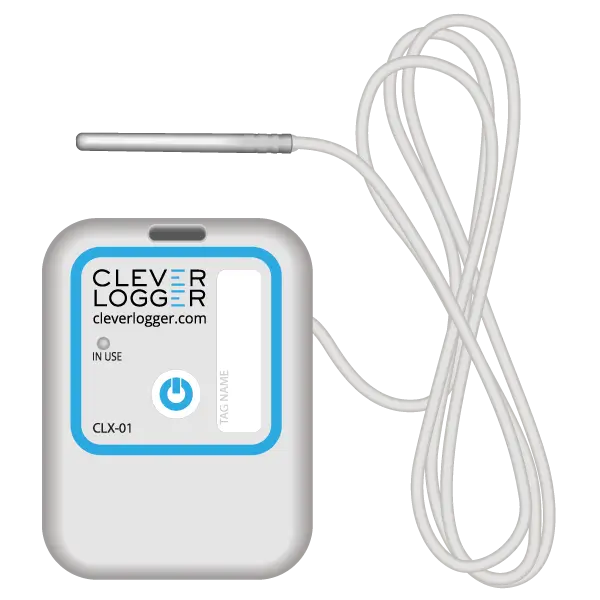
| QUICK SPECS | |
|---|---|
| Model | CLD-01 |
| Type | Temperature only with Dual Sensors |
| Temperature Range | Internal sensor: -23°C to +60°C External sensor: -40°C to +80°C |
| Humidity Range | N/A |
| Battery Type | CR2450 |
| Battery Life | Replace every 12 months |
| Accuracy |
Internal Sensor: ±0.3℃ (0℃ to +60℃) ±0.3℃ to ±0.7℃ (other temperatures) External Probe: ±0.5℃ (-20℃ to +40℃) ±1℃ (other temperatures) |
| Offline Memory | approx 24 days logging at 5 minute intervals |
| QUICK SPECS | |
|---|---|
| Model | CLX-01 |
| Type | Temperature only with Probe |
| Temperature Range | -40°C to 60°C Can operate up to 80°C for short periods |
| Humidity Range | N/A |
| Battery Type | CR2450 |
| Battery Life | Replace every 12 months |
| Accuracy | ±0.5℃ (-20℃ to +40℃) ±1℃ (other temperatures) |
| Offline Memory | approx 24 days logging at 5 minute intervals |
To prove it, we’ll send you a Starter Kit to try out for a whole month.
Set it up, have a play, explore the features – obligation free.
If you love it, just let us know.
If not, just send it back.