

A min–max thermometer shows you:
It only tells you three numbers for a whole period, and only if someone reads and records them.
A data logger automatically records the temperature over time, creating a continuous graph with timestamps, and can warn you when things go wrong.
If you just need a quick manual check, a min–max thermometer might be enough. If you need proof for audits, or you can’t afford to miss a temperature excursion, you really want a data logger.
A min–max thermometer is usually a simple device with a small screen. It shows:
To use it properly, staff are meant to:
This is where people get caught out:
You might see a max of 12 °C, but:
If no one:
then the numbers are meaningless.
A data logger is a small electronic device that measures and saves the temperature automatically at regular intervals (for example every 5 minutes).
Instead of giving you just a min and max, it stores each reading with a timestamp. Most modern systems will:
That means you can fix issues before you lose stock.
Shows:
Needs:
Tells you:
Best for:
Shows:
Needs:
Tells you:
Best for:
On paper, a min–max thermometer looks reassuring:
“We check the fridge twice a day and write down the min and max. So we’re covered.”
The problem is what you can’t see.
Imagine this scenario:
The min–max reading might show:
Unless your staff:
it’s very easy to shrug and say, “Looks fine now.” That’s where stock can be used or sold when it should actually be thrown away.
A data logger, on the other hand, would show a clear hump in the graph between 1 am and 4 am, making it much easier to see that this was a real problem.
A data logger is the safer choice if:
In these cases, the cost of a logger is usually tiny compared with the cost of one fridge full of wasted stock, or the damage from a food safety incident.
Yes – in fact, many sites do.
A common setup is:
The data logger is your official record and early-warning system; the min–max is just a handy extra check.
A min–max thermometer is like a car that only tells you the top speed and lowest speed since you last drove it.
A data logger is like a dashcam for temperature – it records the whole journey.
If you just need to know “roughly okay or not” and the risk is low, min–max might be enough.
If you need to know exactly what happened, when it happened, and for how long, a data logger is the better, safer choice.

The National Association of Testing Authorities (NATA) is the recognised national accreditation authority for analytical laboratories and testing service providers in Australia. It is an independent, not-for-profit organisation that provides independent assurance of technical competence.
NATA accredits organisations to perform testing and inspection activities for their products and services. This gives consumers the assurance they need to make safe, healthy and reliable choices .
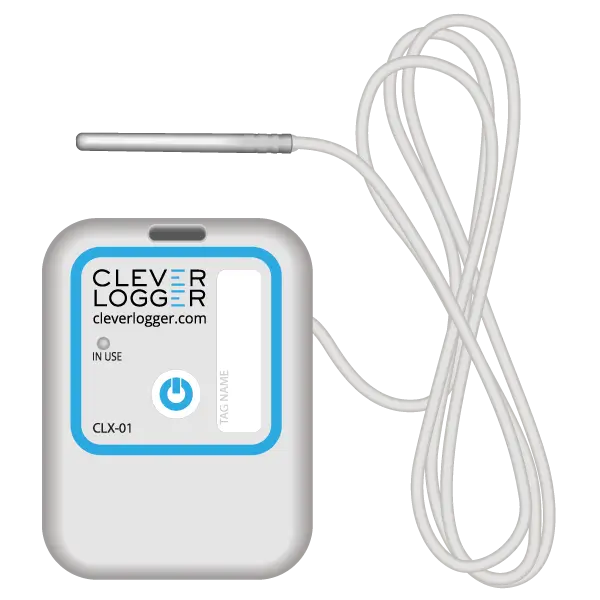
| QUICK SPECS | |
|---|---|
| Model | CLD-01 |
| Type | Temperature only with Dual Sensors |
| Temperature Range | Internal sensor: -23°C to +60°C External sensor: -40°C to +80°C |
| Humidity Range | N/A |
| Battery Type | CR2450 |
| Battery Life | Replace every 12 months |
| Accuracy |
Internal Sensor: ±0.3℃ (0℃ to +60℃) ±0.3℃ to ±0.7℃ (other temperatures) External Probe: ±0.5℃ (-20℃ to +40℃) ±1℃ (other temperatures) |
| Offline Memory | approx 24 days logging at 5 minute intervals |
| QUICK SPECS | |
|---|---|
| Model | CLX-01 |
| Type | Temperature only with Probe |
| Temperature Range | -40°C to 60°C Can operate up to 80°C for short periods |
| Humidity Range | N/A |
| Battery Type | CR2450 |
| Battery Life | Replace every 12 months |
| Accuracy | ±0.5℃ (-20℃ to +40℃) ±1℃ (other temperatures) |
| Offline Memory | approx 24 days logging at 5 minute intervals |
To prove it, we’ll send you a Starter Kit to try out for a whole month.
Set it up, have a play, explore the features – obligation free.
If you love it, just let us know.
If not, just send it back.