

This article is about how to increase the signal strength of a logger in the Clever Logger system.
If your logger is regularly going offline and back online again then it is most likely to a poor signal strength.
IMPORTANT NOTE: Please check to make sure your gateway is NOT going offline at the same time. If your gateway is going offline then that’s what is causing your loggers to go offline and this page will not help.
There are two parts to the system:
The logger transmits the data to the gateway. The gateway then sends it to the server every couple of minutes.
This article is about ensuring that there is good signal strength between the logger and the gateway. Details on how to see this signal strength is shown below.
Do not confuse it with WiFi signal strength which is the strength between the gateway and your WiFi hub.
Click on Locations in the Dashboard’s main menu.
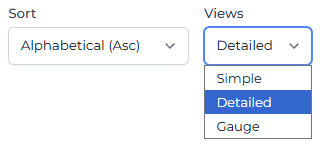
In the top right corner is an option to change the view.
Select “Detailed”.
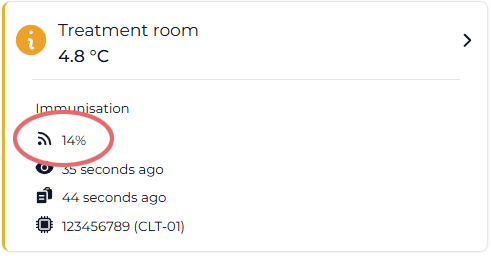
You will then be able to see the signal strength of each location:
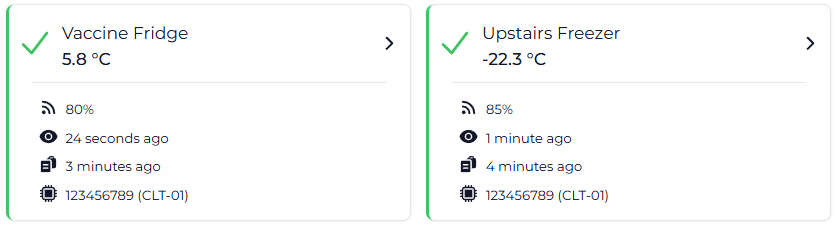
Note: If you have multiple gateways then this information may be misleading. You will see the signal strength for the last gateway to update the status. This may not necessarily be the strongest signal strength. If you have multiple gateways then use the second method.
On the location screen, select “Advanced Settings”.
You will then see “Device Details” in the list of advanced settings.
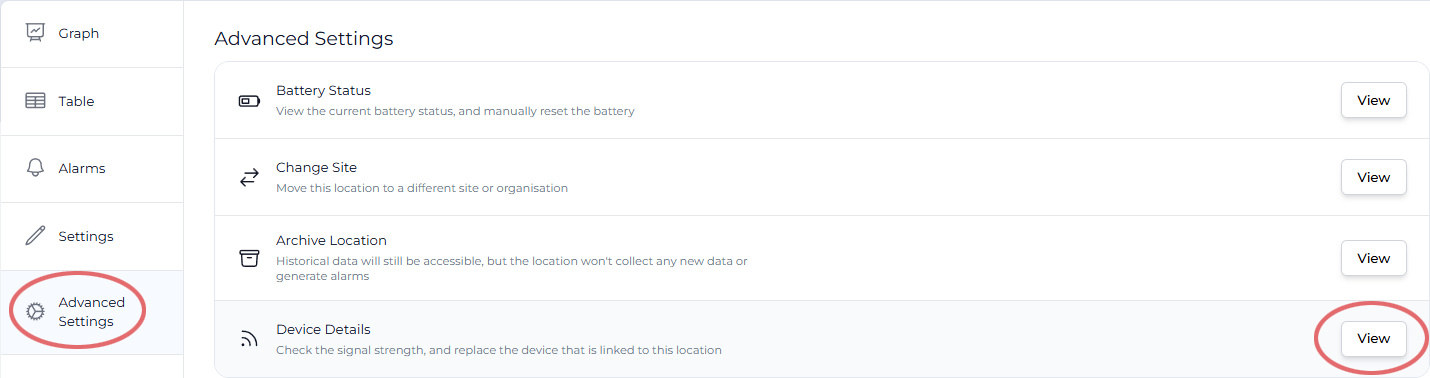
You will then see the following information:
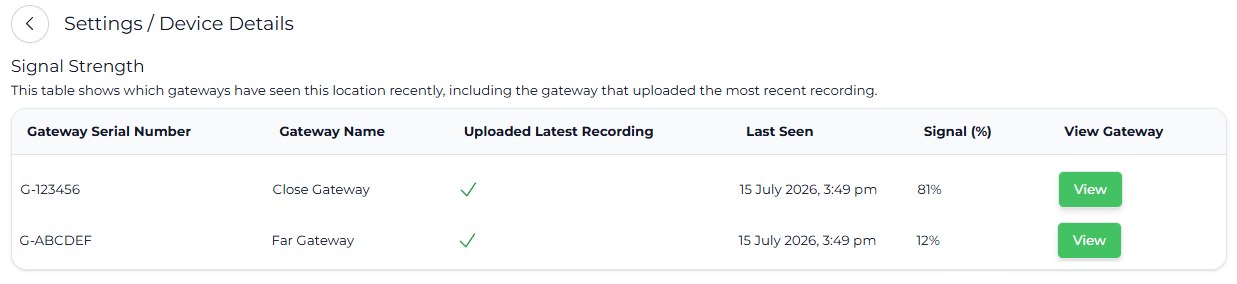
In this case there are two gateways and the signal strength is strong to both.
If the gateway is in another room then we would recommend focusing on the gateway issues first (topic 1 and 2), and then consider the logger (topic 3).
If the gateway is in the same room, then focus on the logger (topic 3), the gateway position (topic 2) and the gateway location (topic 1).
Ideally the gateway should be in the same room as the logger.
If there is a spare Ethernet port (the network connector) in the room, we strongly recommend moving the gateway to that location.
If there is no spare Ethernet port then consider using WiFi.
If you have multiple loggers in different locations then you may need to compromise on where the gateway is located. Many users will place the gateway close to one location. Try moving the gateway to a halfway point.
The goal is to have all loggers over 20% signal strength.
If you can’t achieve this with a single gateway then you will need to add another gateway to your system.
This is about where the gateway is and what is around it.
Try to have the gateway in an open area. Don’t have it hidden behind items or under items, especially metallic items.
For example, placing the gateway behind the fridge means it is then blocked by a big chunk of metal. Other common items that will block the signal include:
Often moving the gateway higher will also make it clear of obstructions.
There are a couple of things that wireless signals hate – metal, water and ice.
Try to avoid them.
Probes
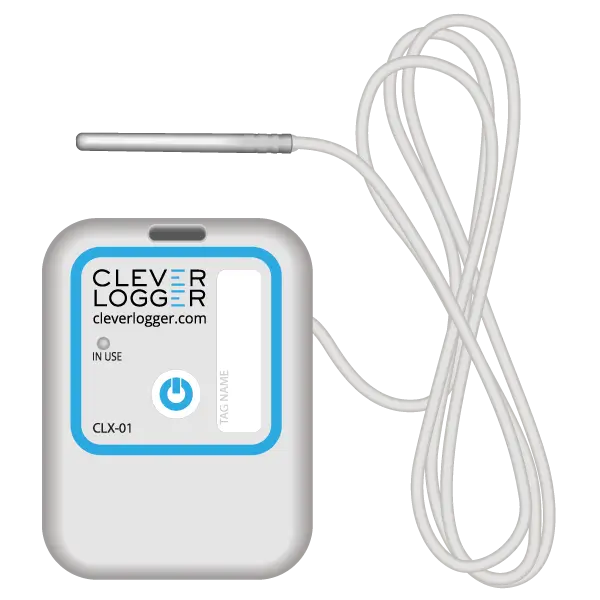
For coolrooms, it is often nearly impossible to get good signal strength with the logger inside. The models with an external probe allows the logger to be on the outside and the probe to run through a hole into the cool room.
Probes are also useful for shipping containers and other large metal structures.
In some very rare situations we have had loggers with very good signal strength but they repeatedly go offline.
In some cases it has been due to something like a compressor causing a lot of radio interference. Each time the compressor turned on the signal would be lost. The solution was to fix the compressor.
Stock movement is also an interesting issue. It means that throughout the day or week the logger will be blocked and unblocked. This makes fault finding more difficult because the problem may not be there when you are testing.
Doors being closed during the day or after hours will also impact signal strength if the gateway is in a different room.

The National Association of Testing Authorities (NATA) is the recognised national accreditation authority for analytical laboratories and testing service providers in Australia. It is an independent, not-for-profit organisation that provides independent assurance of technical competence.
NATA accredits organisations to perform testing and inspection activities for their products and services. This gives consumers the assurance they need to make safe, healthy and reliable choices .
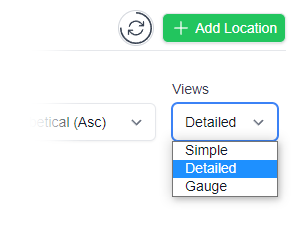
In the top right corner of the Location page, you will find the View chooser.
There are three options: Simple, Detailed and Gauge.

Simple View
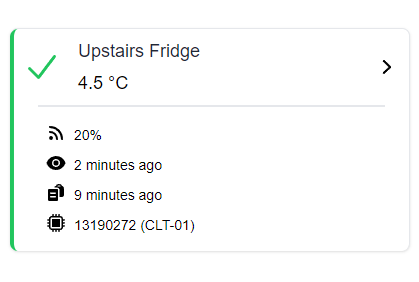
Detailed View
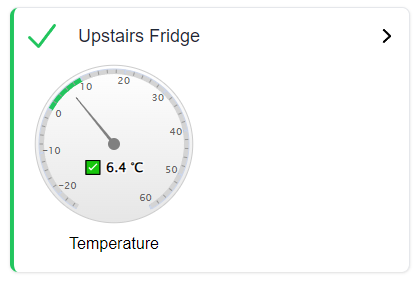
Gauge View
| QUICK SPECS | |
|---|---|
| Model | CLD-01 |
| Type | Temperature only with Dual Sensors |
| Temperature Range | Internal sensor: -23°C to +60°C External sensor: -40°C to +80°C |
| Humidity Range | N/A |
| Battery Type | CR2450 |
| Battery Life | Replace every 12 months |
| Accuracy |
Internal Sensor: ±0.3℃ (0℃ to +60℃) ±0.3℃ to ±0.7℃ (other temperatures) External Probe: ±0.5℃ (-20℃ to +40℃) ±1℃ (other temperatures) |
| Offline Memory | approx 24 days logging at 5 minute intervals |
| QUICK SPECS | |
|---|---|
| Model | CLX-01 |
| Type | Temperature only with Probe |
| Temperature Range | -40°C to 60°C Can operate up to 80°C for short periods |
| Humidity Range | N/A |
| Battery Type | CR2450 |
| Battery Life | Replace every 12 months |
| Accuracy | ±0.5℃ (-20℃ to +40℃) ±1℃ (other temperatures) |
| Offline Memory | approx 24 days logging at 5 minute intervals |
To prove it, we’ll send you a Starter Kit to try out for a whole month.
Set it up, have a play, explore the features – obligation free.
If you love it, just let us know.
If not, just send it back.