

Vaccine fridges need logging at 5-minute intervals because that’s what the Australian cold chain guidelines require, and because it’s the best balance between catching short temperature excursions and not drowning you in data.
The National Vaccine Storage Guidelines (Strive for 5) say that every vaccine refrigerator should have a permanent data logger set to record at preset 5-minute intervals and be downloaded at least weekly, in addition to twice-daily min/max checks.
Most state and territory health departments now spell this out very plainly – the data logger must be set to 5-minute intervals if you’re storing funded vaccines.
So the “why” has two parts:
Let’s unpack that.
Here’s the key idea from Strive for 5 and the various state cold chain toolkits:
In other words, the 5-minute interval is not just a “nice to have” – it’s the standard that audits and investigations expect to see.
You might wonder why everyone settled on five minutes. Why not log every minute for more detail, or every 30 minutes to save memory?
Vaccines are sensitive to both heat and freezing. A quick door left ajar during a busy clinic, or a short power bump in the middle of the night, can push fridge temperatures outside the +2 °C to +8 °C range long enough to matter – even if your twice-daily min/max readings happen to look fine.
A 5-minute interval:
With 30-minute logging, a short spike could happen entirely between two readings and never appear on the graph. You’d have no evidence either way.
Could we log every minute? Technically, yes – but you’d:
Generate five to six times more data
Fill the logger’s memory and storage more quickly
Make graphs harder and slower to review
The guidelines are designed to work in busy real-world clinics, not ideal lab conditions. Five-minute logging is a practical sweet spot – detailed enough to pick up important excursions, manageable enough that staff can actually use the reports.
Vaccine fridges and vaccine vials don’t change temperature instantly. If the compressor fails or the door is left open, it typically takes several minutes for the air and vaccine packs to drift out of range.
A 5-minute interval lines up reasonably well with that thermal lag:
You’re unlikely to have a genuinely harmful excursion that lasts less than 5 minutes
Anything serious enough to matter will show up in multiple points on the graph
So again, 5 minutes is about being clinically meaningful without going overboard.
When a cold chain breach is suspected, the first thing health authorities ask for is data from your logger – not just the hand-written fridge chart. Many state documents explicitly say data loggers are used to determine the duration and temperature during breaches and help decide whether vaccines are still effective.
With 5-minute logging you can:
It’s not just about catching problems – good data also protects you.
If your min/max chart shows everything in range but there’s been a suspected issue (power failure, someone bumped the thermostat, alarms, etc.), a clean 5-minute log:
Over weeks and months, 5-minute graphs give you a feel for the personality of your fridge:
You can only see those patterns with continuous, reasonably fine-grained data.
Yes – and this often surprises people.
The guidelines are very clear that manual twice-daily recording of current, minimum and maximum temperatures is still required, even when you have continuous logging.
The logic is:
5-minute logging does not replace good daily habits – it supports them.
In practical terms, if your logger is set to 10, 15 or 30 minutes you can run into a few problems:
The fix is usually simple: change the interval setting in your logger software or portal and restart the logger. If you’re using a system like Clever Logger, it’s typically just a configuration change.
Clever Logger is designed for exactly this kind of continuous monitoring job:
The biggest difference is that with an automated system, you’re not relying on someone to:
It just happens in the background, and your 5-minute logging requirement is taken care of.
If you’re checking your own setup against the guidelines, here are some simple checks to run:
So, why do vaccine fridges need logging at 5-minute intervals?
Because vaccines are fragile, guidelines are strict, and “close enough” isn’t good enough when you’re dealing with community immunity. Five-minute logging gives you:
If your current logger isn’t set to 5 minutes – or you’re still relying on manual checks alone – it’s a simple change that can save you a lot of stress, wasted stock and difficult phone calls later.

The National Association of Testing Authorities (NATA) is the recognised national accreditation authority for analytical laboratories and testing service providers in Australia. It is an independent, not-for-profit organisation that provides independent assurance of technical competence.
NATA accredits organisations to perform testing and inspection activities for their products and services. This gives consumers the assurance they need to make safe, healthy and reliable choices .
| QUICK SPECS | |
|---|---|
| Model | CLD-01 |
| Type | Temperature only with Dual Sensors |
| Temperature Range | Internal sensor: -23°C to +60°C External sensor: -40°C to +80°C |
| Humidity Range | N/A |
| Battery Type | CR2450 |
| Battery Life | Replace every 12 months |
| Accuracy |
Internal Sensor: ±0.3℃ (0℃ to +60℃) ±0.3℃ to ±0.7℃ (other temperatures) External Probe: ±0.5℃ (-20℃ to +40℃) ±1℃ (other temperatures) |
| Offline Memory | approx 24 days logging at 5 minute intervals |
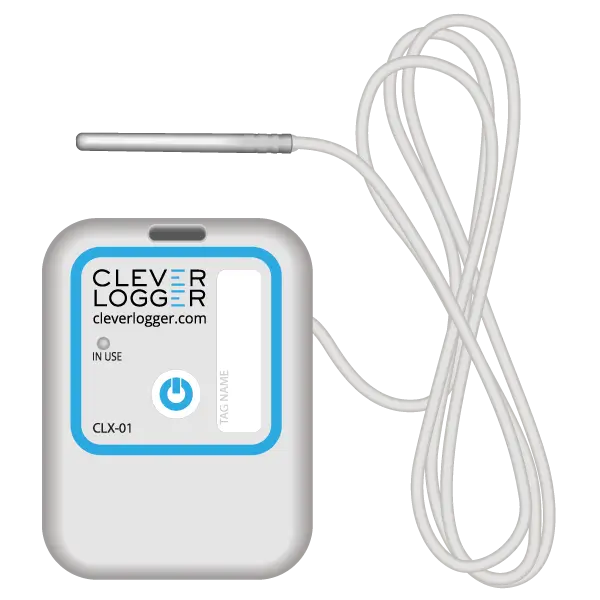
| QUICK SPECS | |
|---|---|
| Model | CLX-01 |
| Type | Temperature only with Probe |
| Temperature Range | -40°C to 60°C Can operate up to 80°C for short periods |
| Humidity Range | N/A |
| Battery Type | CR2450 |
| Battery Life | Replace every 12 months |
| Accuracy | ±0.5℃ (-20℃ to +40℃) ±1℃ (other temperatures) |
| Offline Memory | approx 24 days logging at 5 minute intervals |
To prove it, we’ll send you a Starter Kit to try out for a whole month.
Set it up, have a play, explore the features – obligation free.
If you love it, just let us know.
If not, just send it back.