

A temperature data logger is an electronic device that automatically measures and records temperature over time.
Instead of someone writing temperatures on a clipboard a few times a day, the data logger takes readings at regular intervals – for example every 5 minutes – and stores them with the date and time. Later, you can review the history as a graph or report to see exactly what happened.
Some loggers are simple “USB stick” devices you plug into a computer to read the results. Others are part of a full monitoring system that sends data to the cloud and alerts you if there’s a problem.
A normal thermometer tells you the temperature right now.
A data logger tells you:
What the temperature was
When it changed
How long it stayed out of range
That’s the big difference. For food safety, vaccines, lab samples and other sensitive products, that history really matters.
If you only check the fridge at 9am and 3pm, you’ll miss what happened at midnight when the door was left ajar or the power went out. A data logger catches those events.
While there are lots of shapes and models, most temperature data loggers have the same basic components:
In a cloud-based system like Clever Logger, there are usually two main parts:
From there, everything is stored and managed online.
Here’s the basic process most loggers follow:
Temperature data loggers turn up anywhere temperature really matters, including:
In a lot of these settings, regular temperature records are a compliance requirement, not just a “nice to have”.
Plenty of businesses start with clipboards and handwritten temperature checks. Over time, the problems become obvious:
Data loggers solve those issues by:
For many businesses, the cost of a single fridge full of lost stock is more than the cost of a proper logging system.
You probably need a data logger (or a full monitoring system) if:
If you’re just getting started, you can begin with a single logger on your most critical fridge and expand from there. Systems like Clever Logger are designed to scale from one fridge up to whole sites and multi-site operations, without making life more complicated for staff.
A good temperature logger quietly saves you from spoiled stock, failed audits and late-night fridge panics. If your business relies on keeping things cold, a proper logging system is less of a gadget and more of an insurance policy.

The National Association of Testing Authorities (NATA) is the recognised national accreditation authority for analytical laboratories and testing service providers in Australia. It is an independent, not-for-profit organisation that provides independent assurance of technical competence.
NATA accredits organisations to perform testing and inspection activities for their products and services. This gives consumers the assurance they need to make safe, healthy and reliable choices .
| QUICK SPECS | |
|---|---|
| Model | CLD-01 |
| Type | Temperature only with Dual Sensors |
| Temperature Range | Internal sensor: -23°C to +60°C External sensor: -40°C to +80°C |
| Humidity Range | N/A |
| Battery Type | CR2450 |
| Battery Life | Replace every 12 months |
| Accuracy |
Internal Sensor: ±0.3℃ (0℃ to +60℃) ±0.3℃ to ±0.7℃ (other temperatures) External Probe: ±0.5℃ (-20℃ to +40℃) ±1℃ (other temperatures) |
| Offline Memory | approx 24 days logging at 5 minute intervals |
| QUICK SPECS | |
|---|---|
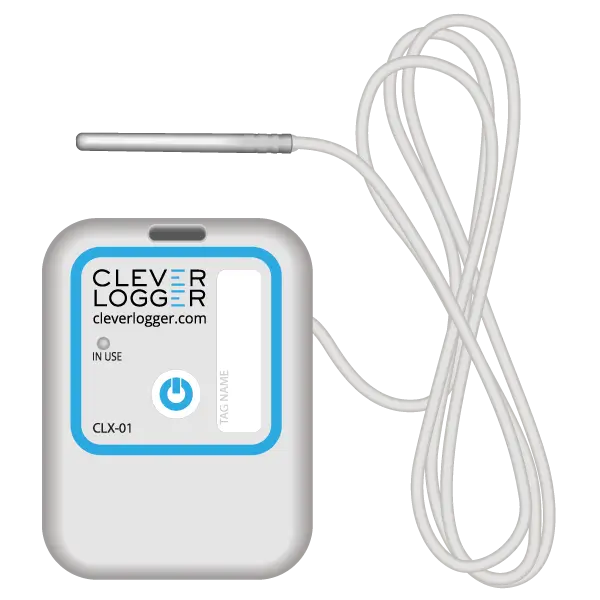
| Model | CLX-01 |
| Type | Temperature only with Probe |
| Temperature Range | -40°C to 60°C Can operate up to 80°C for short periods |
| Humidity Range | N/A |
| Battery Type | CR2450 |
| Battery Life | Replace every 12 months |
| Accuracy | ±0.5℃ (-20℃ to +40℃) ±1℃ (other temperatures) |
| Offline Memory | approx 24 days logging at 5 minute intervals |
To prove it, we’ll send you a Starter Kit to try out for a whole month.
Set it up, have a play, explore the features – obligation free.
If you love it, just let us know.
If not, just send it back.